
Claude Asks to Train on Your Voice Chats: Check This Setting
- theDevXpert Team
- October 6, 2026
- No Comments
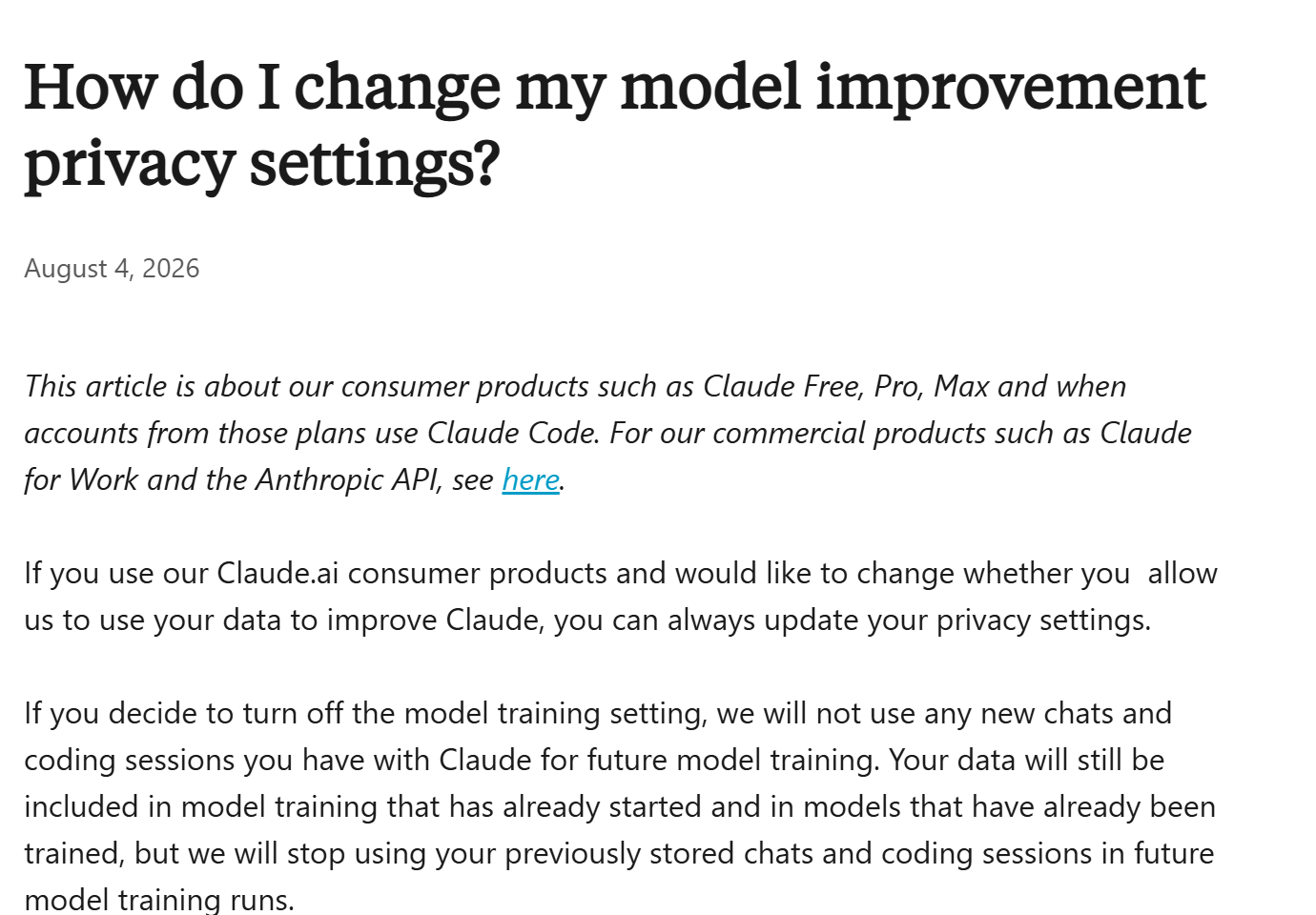
Featured image: Screenshot of Anthropic’s Privacy Center article “How do I change my model improvement privacy settings?”, captured October 6, 2026. Image: Anthropic.
If you talk to Claude out loud, you may have seen a new pop-up asking to use your voice data to improve Anthropic’s AI models. According to BleepingComputer and gHacks, the request is optional and appears to be off unless you tap Allow. But it is a new choice about your own voice, and it sits in a different place from the training setting most people already know. Here is what has been reported, what Anthropic’s own pages say (and don’t yet say), and how to check your setting in under a minute.
What happened?
BleepingComputer reported on October 4, and gHacks on October 5, that Anthropic has started asking Claude users to share their voice conversations for model training. The prompt reportedly reads: “Allow us to use your voice data to improve our AI models.” It adds that audio recordings and voice chat data help the models understand and respond to speech, and that you can turn this off or delete the data any time in settings. You pick Allow or Not now.
A matching switch has also been added to Settings, then Privacy. It is labeled “Allow us to use your voice data”, with the description: “For approved sessions, allow the use of your audio recordings and voice chat data to improve Anthropic AI models.” In the interface BleepingComputer saw, it was off by default.
We did not find an Anthropic announcement about this. Everything above comes from the two outlets’ reports of the in-app prompt, so treat the exact wording and rollout as reported, not confirmed by Anthropic.
The key details
- It is a separate switch. Both outlets say the voice option is independent of Anthropic’s existing option for using your regular chats and Claude Code sessions in training. You could allow one and not the other.
- Open questions. gHacks notes that neither the prompt nor the setting says how long approved voice recordings are kept, and that Anthropic hasn’t said whether everyone sees the request or only some accounts.
- “Approved sessions”. The setting text refers to “approved sessions”, but neither report explains what that means.
A wrinkle in Anthropic's own documentation
Anthropic’s Privacy Center has an article on its dictation feature (speaking a prompt that is converted to text). Its page, dated March 16, 2026, says the audio recording is deleted after conversion and “We do not use your voice for training our models.” It adds that the transcribed text can be used if you have allowed chats to be used for improvement.
That statement is about dictation. Claude’s voice mode is different: it is a spoken back-and-forth conversation, available in beta on all plans, and the new prompt is reported to appear in voice features. When we checked on October 6, Anthropic’s help pages did not mention the new voice toggle. The model-improvement article still describes one switch, “Help Improve our AI models”. That may simply mean the documentation hasn’t caught up. We can’t say which.
How to check your Claude setting
Based on Anthropic’s Privacy Center and the gHacks walkthrough:
- Open Claude and go to Settings, then Privacy.
- Look for “Allow us to use your voice data”. Leave it off to keep voice recordings out of training, or turn it on to share them.
- Check the other switch, “Help Improve our AI models”. It controls chats and coding sessions, and changing the voice toggle does not change it.
- If you tapped Allow by mistake, use the same toggle to turn it off and delete the voice data from settings, as Anthropic’s prompt describes.
What Anthropic’s pages say about the existing training switch is worth knowing too:
- Turning off training means new chats and coding sessions won’t be used for future training. Data already used in training that has started, or in models already trained, stays included.
- If Anthropic’s safety classifiers flag a conversation, it may still be used for trust and safety work, even with training off.
- Incognito chats are not used to improve Claude, even if model improvement is on.
- If you give thumbs up or down feedback, Anthropic says it stores the related conversation for up to five years and may use it for training.
- These articles are about consumer plans (Free, Pro, Max). Anthropic treats Claude for Work and the API under separate terms.
How ChatGPT and Gemini compare
Voice settings are easy to overlook across assistants, so here is what each company’s own pages say. We have not tested any of this in the apps.
ChatGPT. OpenAI’s help page says that for individual services such as ChatGPT, your content may be used to train its models unless you turn off Improve the model for everyone under Settings, then Data controls, or choose “Do not train on my content” in its Privacy Portal. Either is enough. Temporary chats are not used while they remain temporary. Feedback is an exception: if you give thumbs up or down, the whole conversation may be used even after opting out. The page does not single out voice conversations, so check your voice chats under the same setting. If you use ChatGPT’s voice features for email and calendar, our ChatGPT Voice how-to covers the setup.
Gemini. Google’s Gemini Apps Privacy Hub describes a separate choice to let Google use your audio and Gemini Live video and screen shares to improve its services. If turned on, Google says it uses them to improve and develop services, including training generative AI models, and that some are reviewed by human reviewers. Google also notes your saved Gemini Apps Activity includes audio, so check that your Keep Activity setting matches what you want. These are two related controls, and Google’s page describes both.
What this means for you
- Everyday users: Take 60 seconds to check each assistant you speak to. Voice often captures more than you meant to say: names, addresses, background conversation.
- If you don’t want voice used: Leaving the Claude toggle off is the straightforward option, and text chat avoids the question entirely.
- If you do allow it: Keep sensitive details (health, finances, other people’s information) out of voice sessions. Neither report says how long recordings are kept.
- Teams and businesses: The reports concern the consumer app. If staff use personal accounts for work calls or meetings, that is worth a policy conversation, and Anthropic’s pages treat business plans separately.
What happens next?
Watch for three things: an Anthropic announcement or documentation update that explains retention and who sees the prompt; whether the voice toggle reaches every account; and whether other assistants add similar opt-ins. We’ll update this if Anthropic publishes details.
Final takeaway
Claude’s reported voice-data prompt is optional, and the setting is easy to find: Settings, then Privacy, then “Allow us to use your voice data”. Check it, check your “Help Improve our AI models” switch, and do the same on ChatGPT and Gemini. The voice setting is new enough that Anthropic’s own help pages haven’t caught up, so treat the details as reported until they do.
Sources
- BleepingComputer, Anthropic asks Claude users to share voice data for AI model training (Oct 4, 2026)
- gHacks, Anthropic Asks Claude Users to Share Voice Recordings for AI Training With a New Opt-In Setting (Oct 5, 2026)
- Anthropic Privacy Center, How do I change my model improvement privacy settings?
- Anthropic Privacy Center, Is my data used for model training?
- Anthropic Privacy Center, What personal data is collected when using dictation on the Claude mobile apps?
- Claude Help Center, Use voice mode
- OpenAI Help Center, How your data is used to improve model performance
- Gemini Apps Help, Gemini Apps Privacy Hub